ReimBurst
ReimBurst App
Fast & Easy Reimbursements
Overview
An easy-to-use app for submitting expenses, uploading receipts, and tracking reimbursements, while helping finance teams review and approve claims quickly and accurately.
Problem Statement
Employees always struggle with the complex process of submitting expenses, keeping track of receipts, and ensuring timely reimbursements.
while finance teams facing difficulty in managing a large volume of expense submissions, verifying accuracy, and ensuring compliance with company policies.
Project Goal
To build an easy-to-use system that helps employees submit expenses and track reimbursements, while helping finance teams quickly check, approve, and manage expenses accurately.

Design Process
I followed an interactive user-centered design approach in which we have to focus
on the users and their needs in every step.
Discover
Define
Ideate
Design
Target Audience

Employees
People who spend money for work and need to get it reimbursed.

Manager
Managers who check and approve or reject expense reports.

Finance Team
People who check, approve, and handle reimbursements.

User Research Objective
User Interview
We conducted interviews with employees, finance managers, and HR personnel to understand their needs and pain points:
To find pain points in expense submission and processing to design a simpler, faster solution.
Employees had too much paperwork and often misplaced receipts.
Finance teams reported manual verification errors and delays in processing.
Managers struggled to approve expenses without clarity on budgets and policies.
User Survey
Surveys were distributed to gather quantitative data on the current challenges faced during expense submissions and reimbursement:
78% of respondents struggled with organizing receipts.
65% of employees didn’t know the status of their reimbursement until it was paid out.
Managers struggled to approve expenses without clarity on budgets and policies.


Empathy Map

Thinks
There should be an easier way to submit expenses.
Will my claim be approved on time?
I hope I filled everything correctly.
The finance team must be overwhelmed.
Feels
Frustrated with complex processes.
Anxious about reimbursement delays.
Confused by unclear guidelines.
Relieved when claims are approved.
Does
Collects and stores paper receipts.
Manually fill expense forms.
Follows up on claim status with finance team.
Double-checks amounts and dates.
Says
Submitting expenses takes too much time.
I often lose my receipts
I don’t know when I’ll get reimbursed.
It’s hard to track all claims.
User Personas
About
Amit travels frequently for client meetings and often incurs expenses for travel, accommodation, and meals. He needs to submit these expenses for reimbursement each month.
Playing Golf
Cooking on weekends
financial News
Positive mindset
Amit Gupta, 35
Employee
MARITAL STATUS
EDUCATION
LOCATION
Married
MBA
Noida
Goals
Submit expense claims quickly and easily.
Get reimbursements on time without repeated follow-ups.
Keep better track of submitted claims and receipts.
Pain Points
Loses paper receipts frequently.
Manually filling forms is time-consuming.
Hard to track claim status and approval timelines.
Confused by unclear reimbursement guidelines.
User Flow
Sign In
Home Page
All Status
Automatic
View all Submitted to manager status
View all Approved Status
View all Save As Draft List
View all Helpdesk Status
Scan through camera
Select Category
View Button
Details Page
Details Page
Details Page
Details Page
Enter bill details
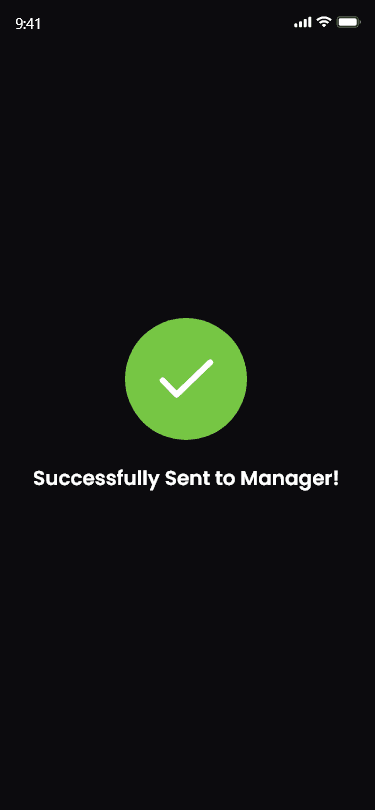
Submit & Success Message
Submit & Success Message
Manual
Upload
Invoice
Submit to
Manager
Approved
Save As
Draft
Submit to
Helpdesk
View Button
View Button
View Button
How System Work
Home Page
View Details
View Details
Home Page
Manager
Help Desk
Scan through camera
Select Category
Enter bill details
Submit & Success Message
Submit & Success Message
Automatic
Manual
Approve
Upload Invoice
Home Page
Reject
Employee
Approve
Reject
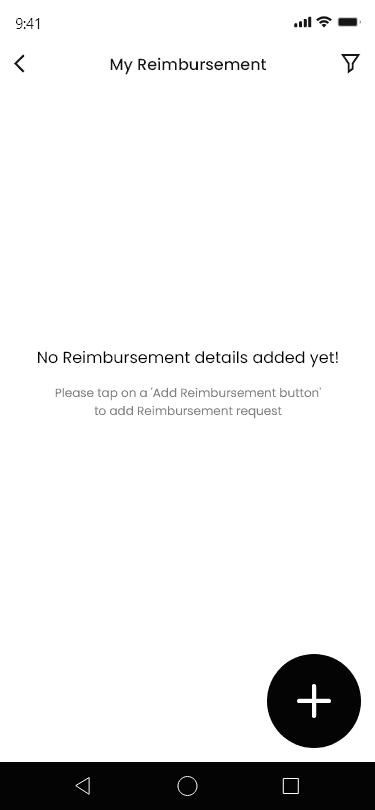
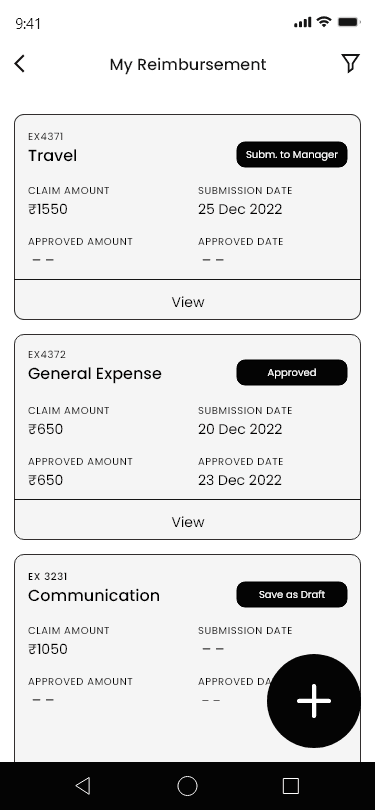
Wireframe
Hi-Fi Designs

# Details

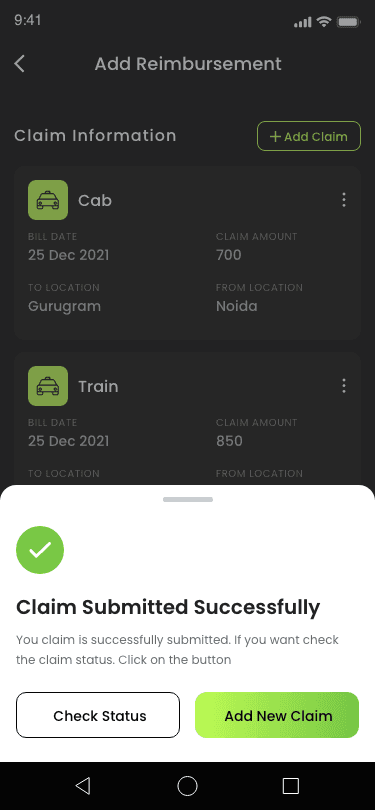
# Claim Submission
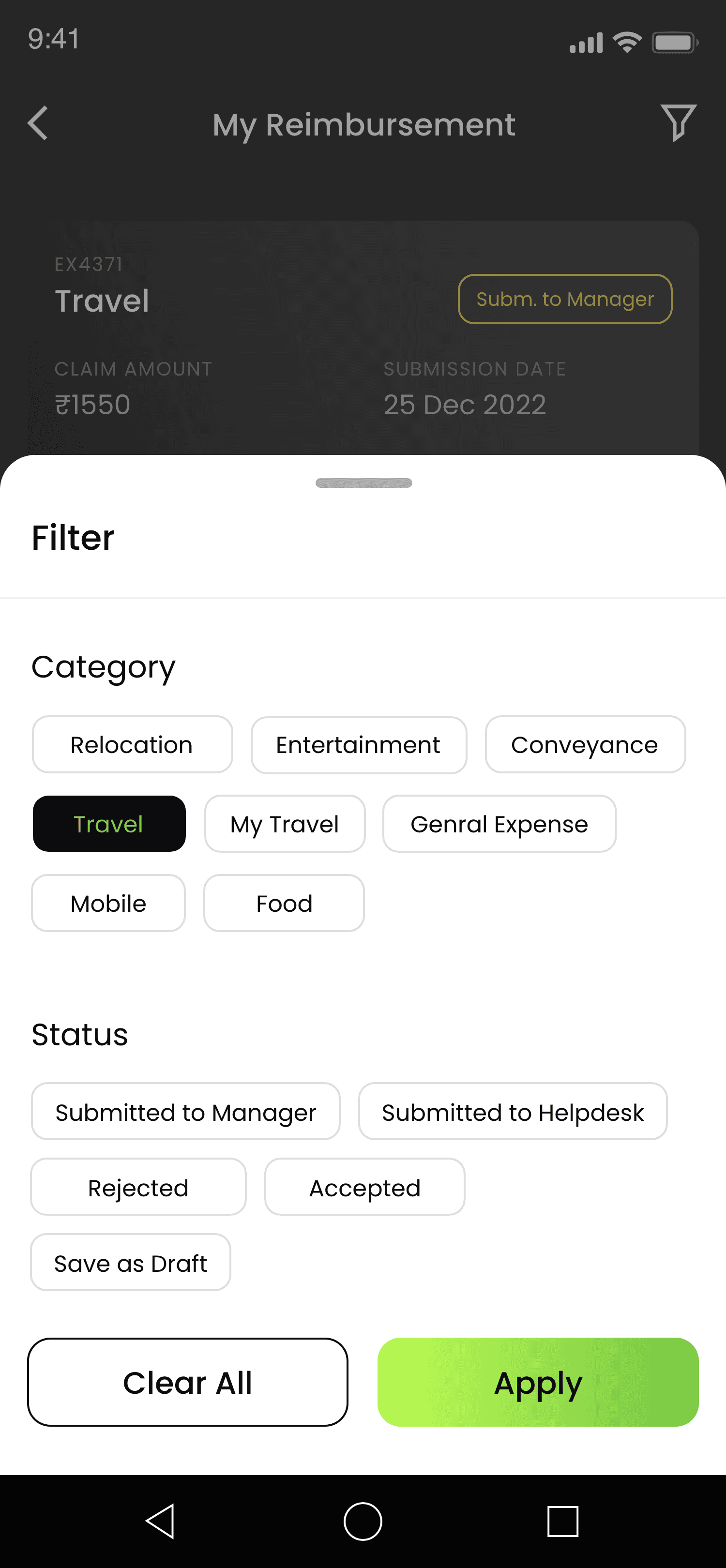
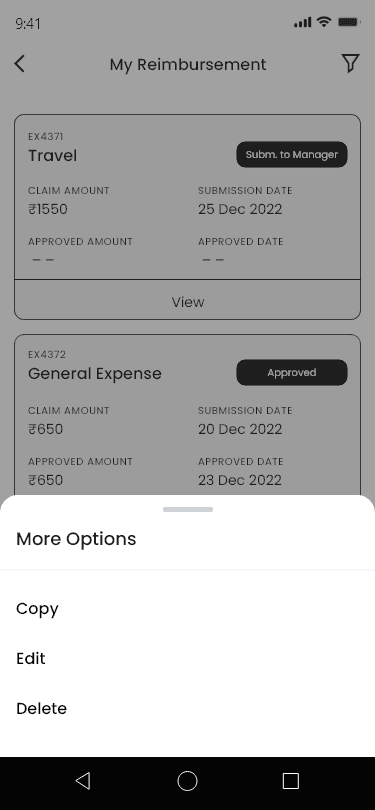
# Filter Option
The filter option allows users to view data by status and category.

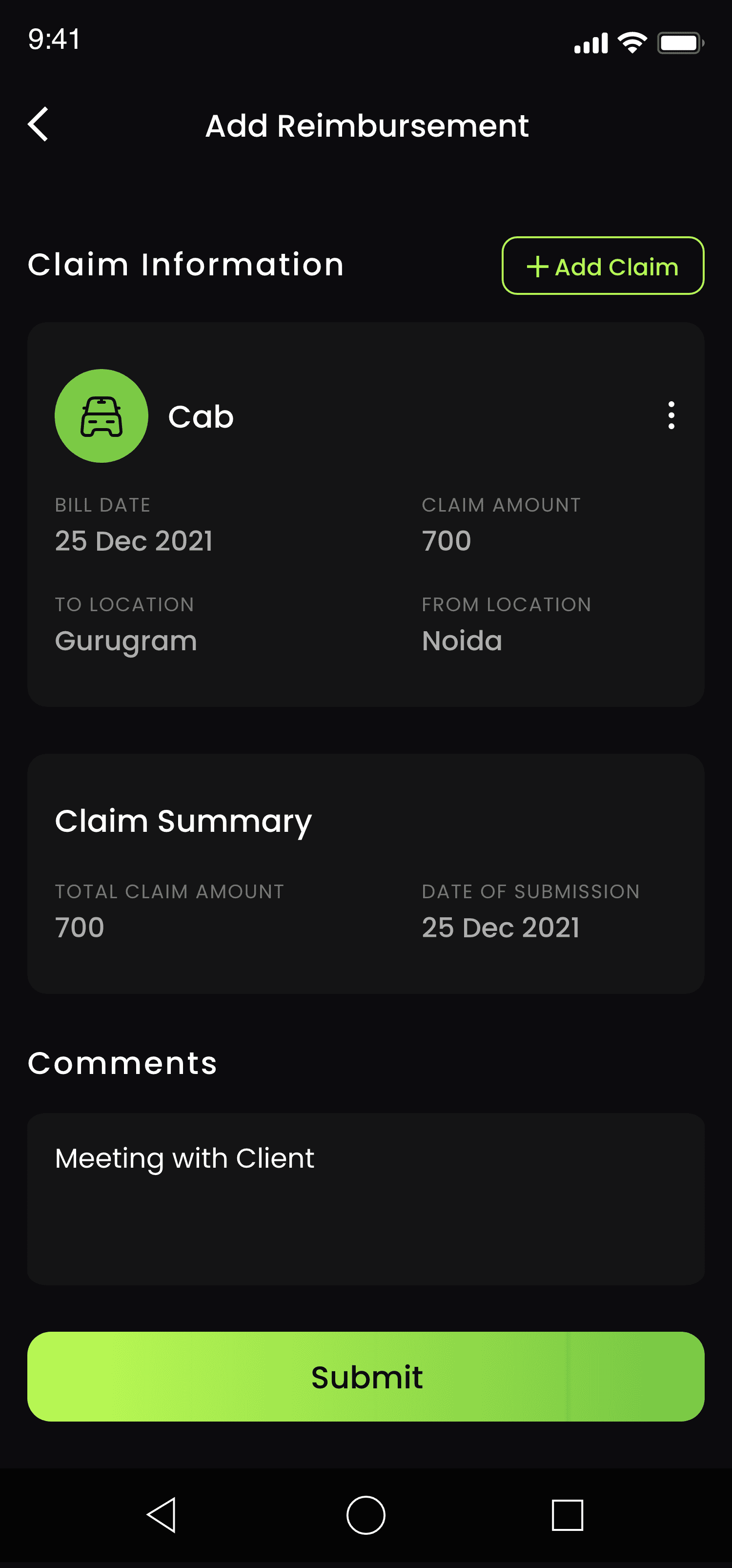
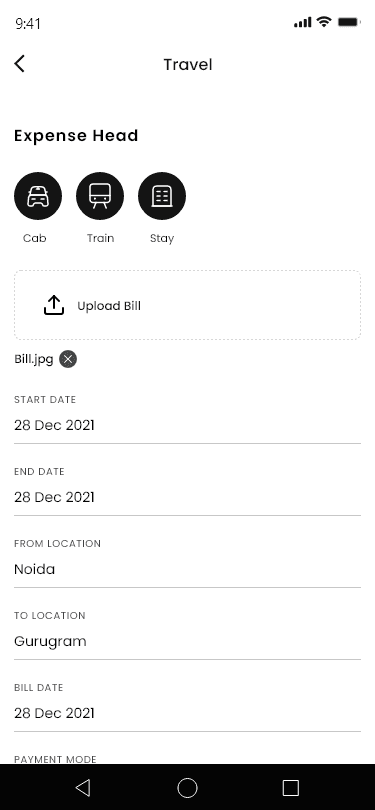
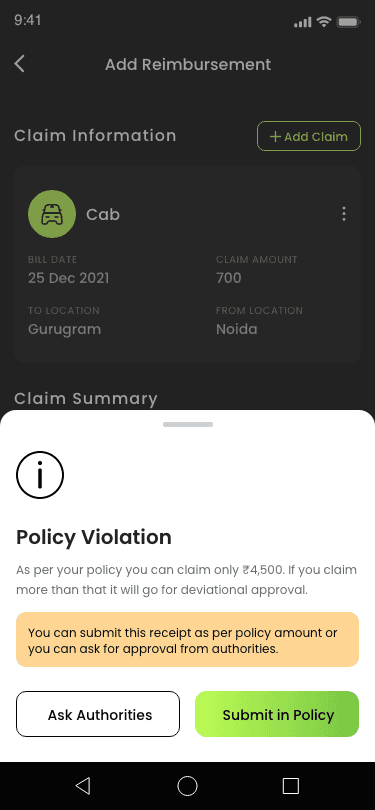
# Add Claim Details
Here, users can add claim details and submit them.

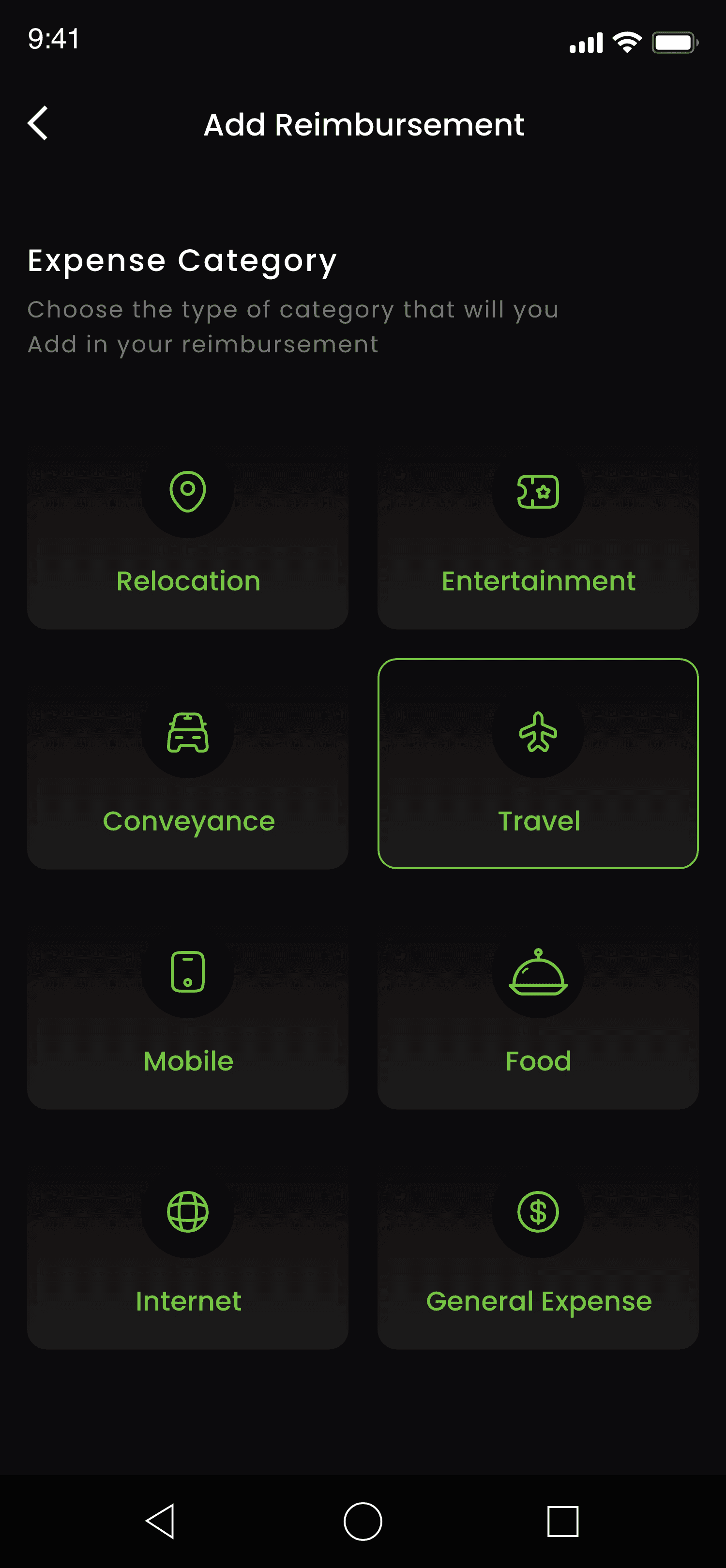
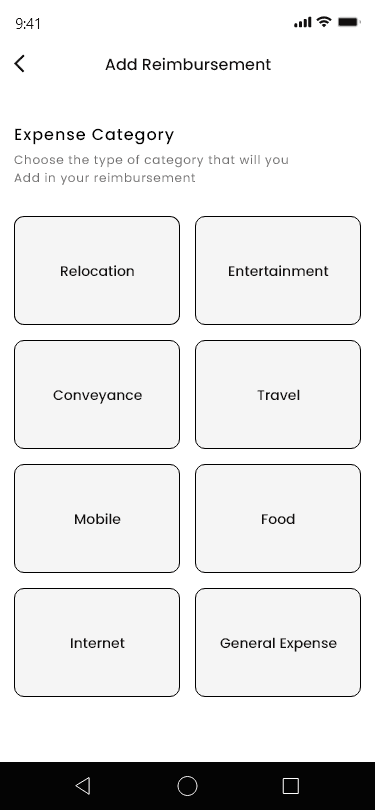
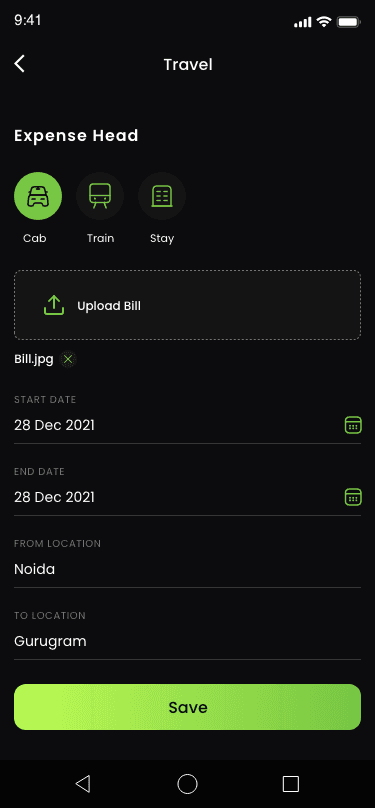
# Expense Category
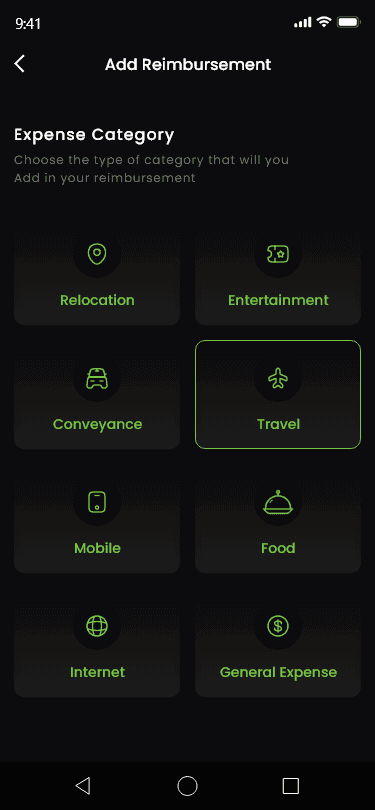
Here, users can choose a category for reimbursement.

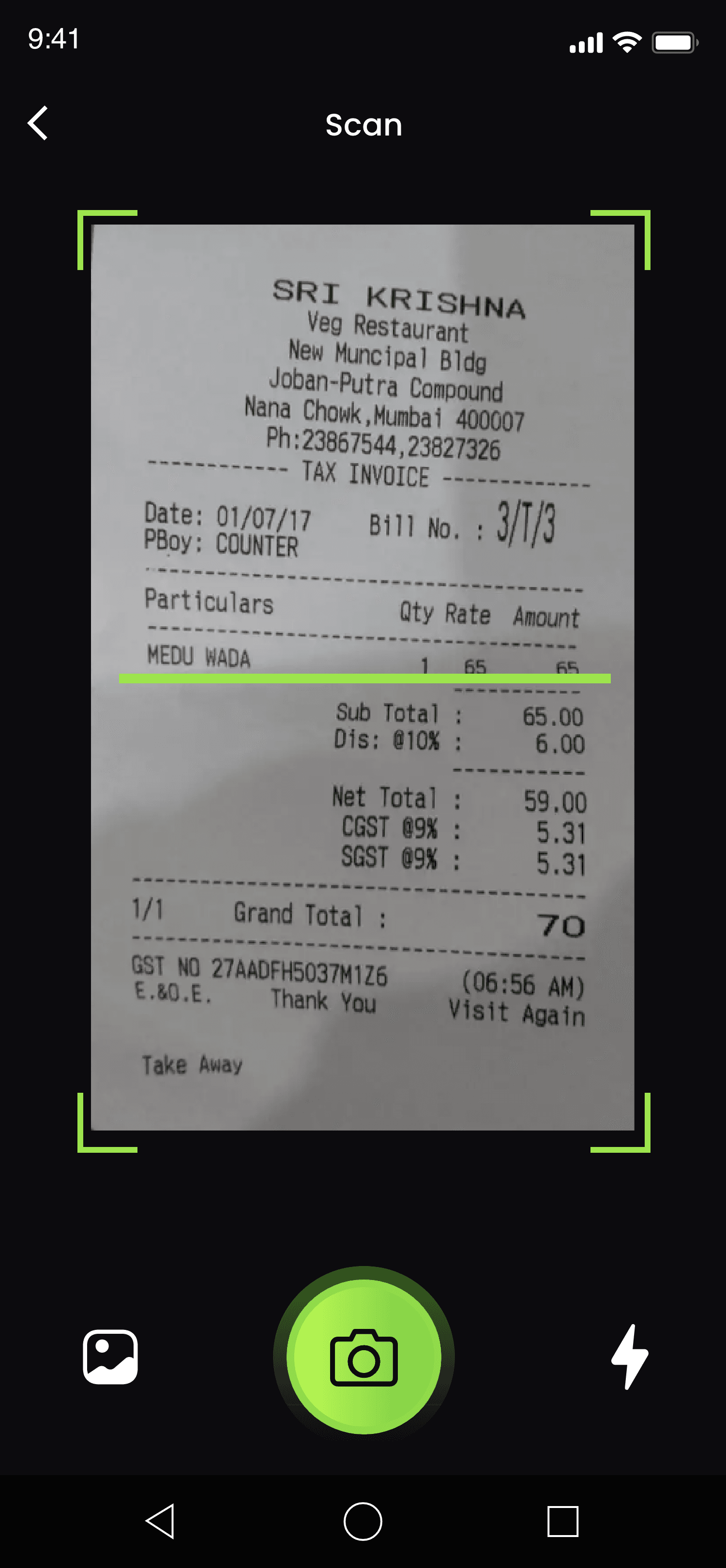
# Scan Bill
Camera
Users can scan and upload bills using their mobile camera.
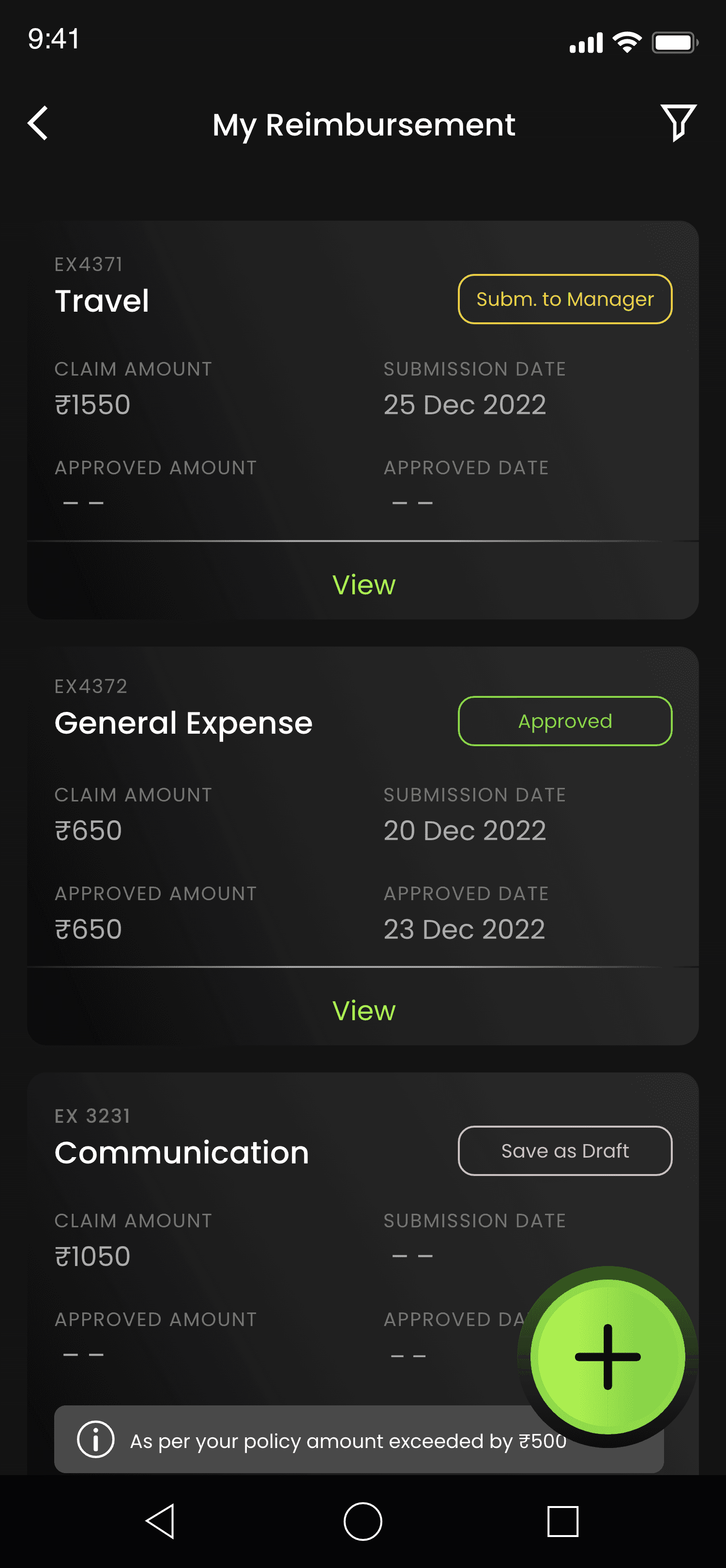
# Home Screen
Upload Bill
The upload option allows users to upload bills, either automatically or manually, to claim reimbursement.
Filter
The filter option allows users to view data by status and category.
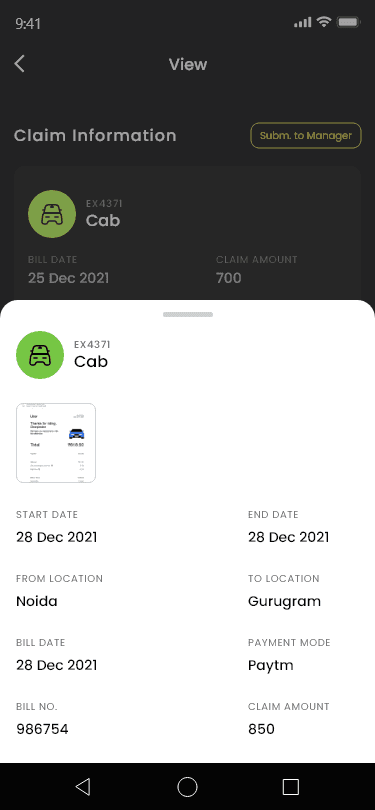
View Details
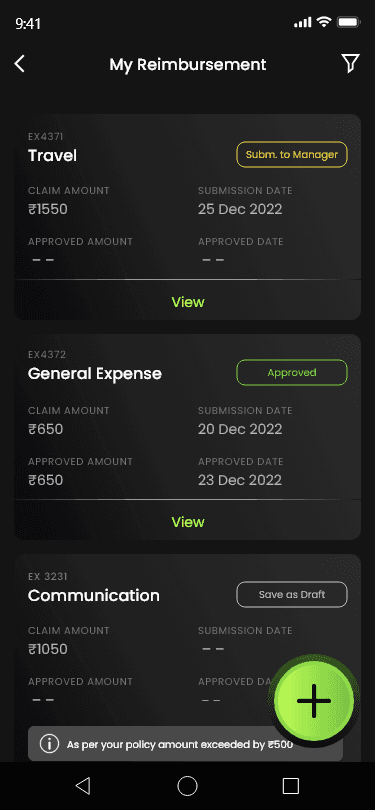
The "View Details" option allows users to see the full details of the selected card.




Thank You For Watching
Deepak Kumar Gupta